

AI Architectural Rendering & Animation What AI Does and What Still Needs a Human
Yantram Studio provides ai architectural rendering to help architects and developers across the USA explore concepts quickly. While AI excels at rapid speed, variety, and atmospheric mood, accurate geometry and final client sign-offs still require skilled human oversight and a hybrid workflow.
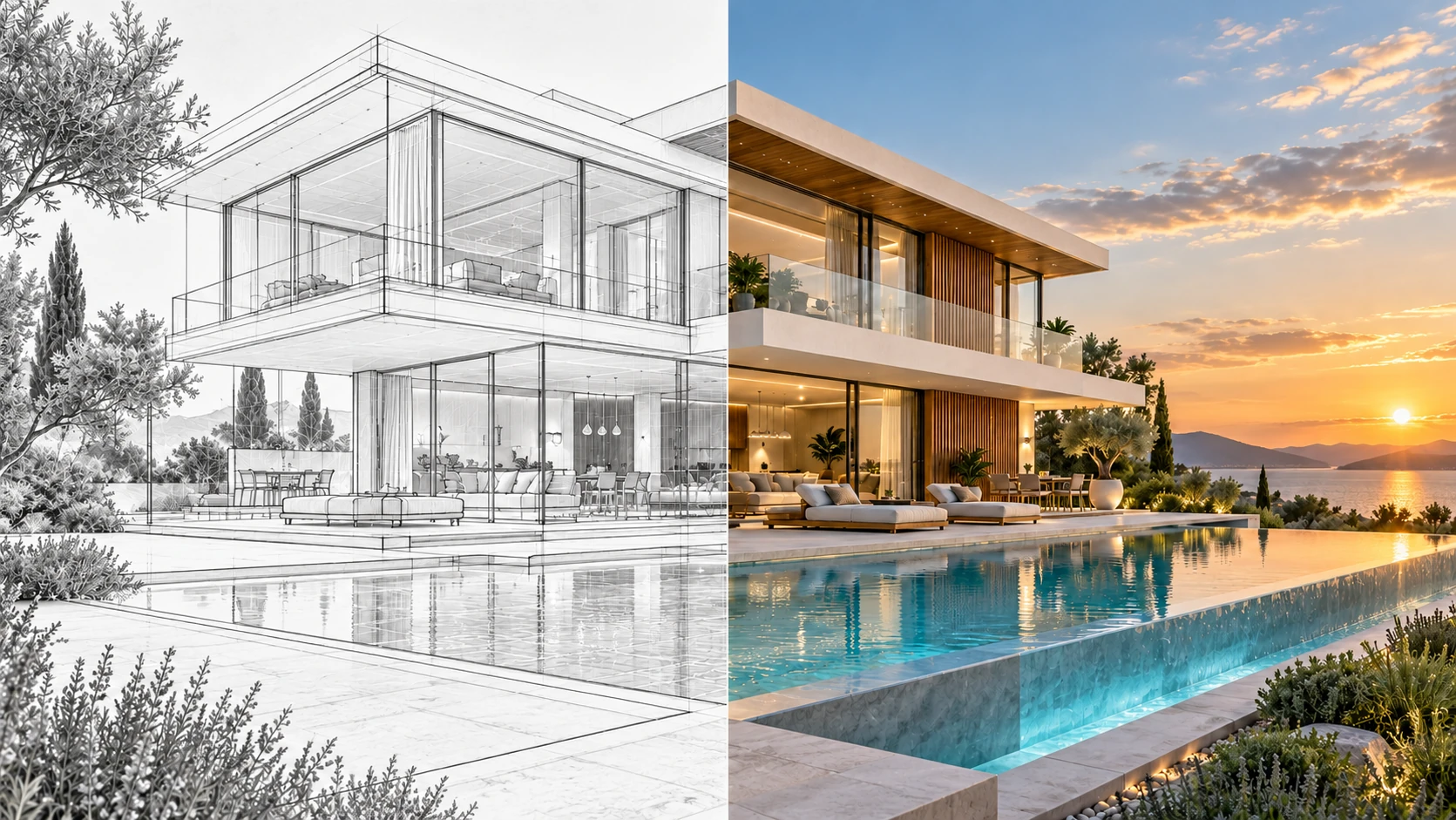
Short answer: AI is excellent at speed, variety and atmosphere: concept images, material and lighting options, image upscaling, people and vegetation clean-up, and short mood animations. It is unreliable at accuracy: exact geometry, dimensions, finishes, camera paths, continuity between views and anything a client will sign off on. The best results in 2026 come from a hybrid workflow where AI accelerates exploration and a human visualizer controls truth, taste and quality.
The Whole Topic in Four Points
If you only have one minute, this is what the research and our own production experience say.
AI wins on speed
Concept options that once took days now take minutes. Early design is where architects report the biggest time savings.
AI loses on accuracy
Unconstrained AI invents and drifts geometry. That is fine for mood, risky for approvals, sales and construction.
Humans own the truth
Someone has to be accountable for dimensions, materials, brand, story and what is safe to show a client or the public.
Hybrid is the answer
Use AI to explore, real 3D to build, and a human to direct, correct and approve. Label AI use where rules require it.
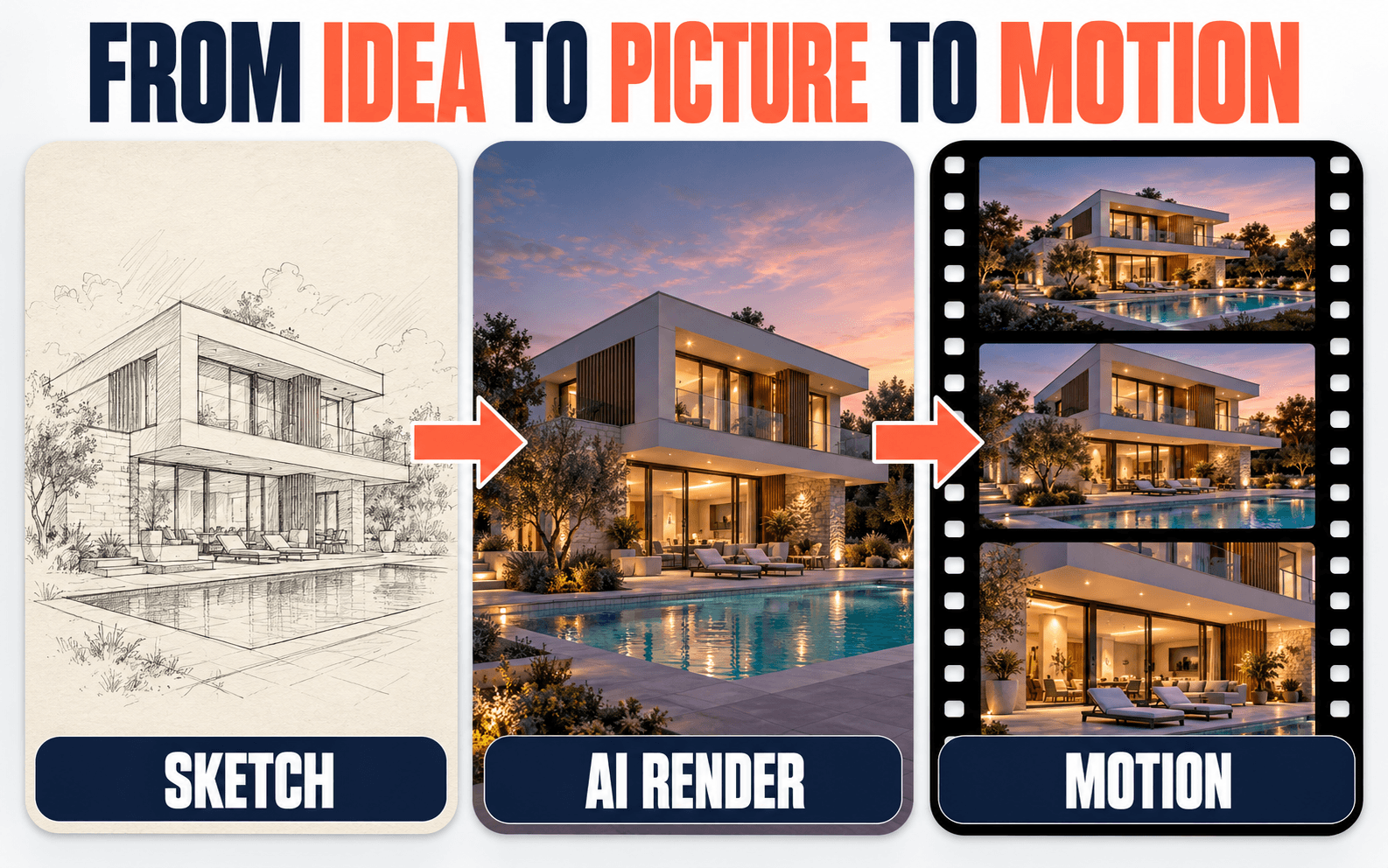
What Is AI Architectural Rendering & Animation?
It is the use of generative and machine-learning tools to create or improve architectural images and moving visuals. It does not replace the 3D model or the render engine. It adds new ways to get from an idea to a picture, and from a picture to motion. Three approaches cover most real-world use.
1. Sketch or model to render
You feed a sketch, a model screenshot or a live viewport and the AI adds materials, light and context. Geometry-aware tools such as Veras read your model so the building stays recognisable.
2. AI inside the render pipeline
AI features built into render tools: enhancing people and vegetation, generating materials, upscaling, denoising, style and atmosphere matching. The most production-proven use today.
3. Image-to-video and text-to-video
A finished still becomes a short moving shot, or a prompt becomes a mood clip. Great for atmosphere and social content, weaker for exact walkthroughs.
Six Myths About AI Rendering, Corrected
Tap any myth to see what is actually true. These are the beliefs that cause the most expensive misunderstandings between clients and studios.
MythAI will replace architectural visualizers within a year.
AI has replaced a lot of the slow, repetitive steps, not the people who are accountable for the result. Someone still has to model the building correctly, choose and test materials, direct the light, fix errors and sign off the image. Studios that use AI well tend to ship more options faster, with the same human control over the final frame.
MythIf an AI image looks photorealistic, it must be accurate.
Realism and accuracy are different things. AI optimizes for what looks plausible, so a window can be moved, a column added or a stair count changed without the image looking any less real. A beautiful image that does not match your drawings is a risk, not a bonus.
MythAI video is the same as an architectural walkthrough.
A walkthrough animation follows a designed camera path through real 3D geometry, so every room and sight-line matches the plans. AI video animates a picture: it adds motion and atmosphere but does not know where your walls are. It is great for a mood teaser, and not a substitute for a walkthrough you will sign off on.
MythAI makes every project dramatically cheaper.
AI saves the most time at the concept stage and on variations and clean-up. Hero images, multi-view consistency and sign-off animation still need accurate modeling, lighting and quality control. Plan for savings where the work is exploratory, not where it is binding.
MythClients and audiences do not care how a visual was made.
Increasingly they and the platforms do. Transparency rules and platform labels for realistic AI-generated media arrived in 2026, and trust drops quickly when a buyer discovers that a brochure image does not match the building. Being open about where AI was used protects your reputation.
MythOne clever prompt gives you a finished image.
Good results come from a chain of small steps: a clear brief, a structure or reference image to lock the design, low-creativity settings, several rounds of refinement and then human retouching. The prompt is the start of the work, not the whole of it.
Figures from the Chaos & Architizer State of Architectural Visualization research as reported by Visualizee and Luma (see sources below). Survey results vary by year and sample.
AI vs Human: Who Does What?
Think of AI as a very fast junior who never gets tired and never double-checks. It is a superb sketching partner and an unreliable draftsperson.
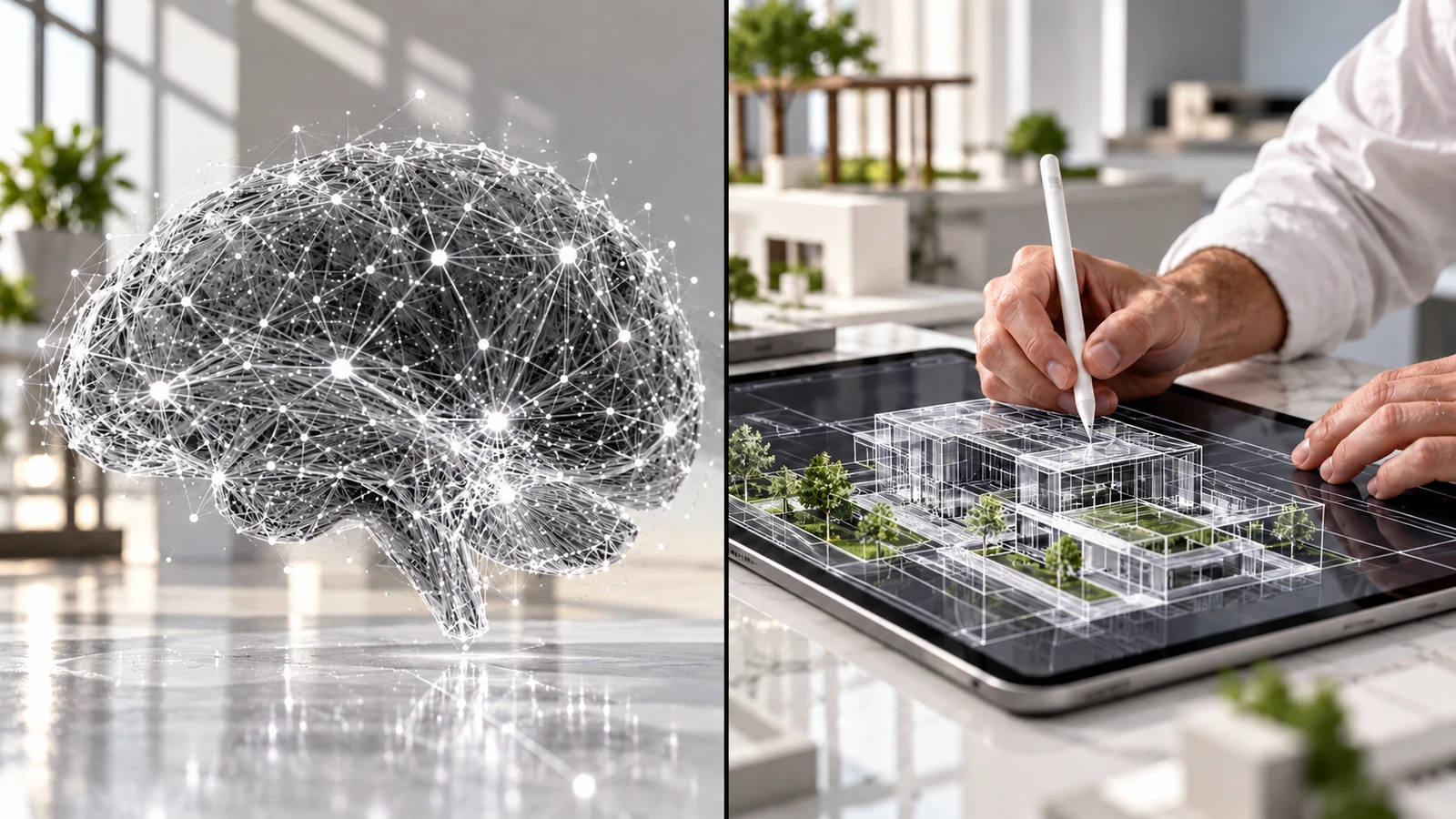
Speed, variety, atmosphere
- Dozens of concept directions from one sketch or massing model
- Material, lighting, season and time-of-day variations
- Upscaling, denoising and cleaning rendered images
- More natural people, trees and planting in finished renders
- Short mood animations and parallax from a still
Accuracy, judgement, accountability
- Building the accurate 3D model from plans and CAD
- Specified materials, dimensions and design intent
- Camera paths, pacing and story for walkthroughs
- Consistency across many views, floors and units
- Quality control, client sign-off and disclosure decisions
| Task | What AI can do | What the human does | Best approach |
|---|---|---|---|
| Early concept and mood | Generates many options in minutes | Chooses direction, sets design rules | AI-led |
| Sketch or model to atmospheric image | Adds light, materials and context | Checks proportions and design intent | Hybrid |
| Hero exterior for marketing or sales | Draft, variations, polish | Accurate 3D, lighting, composition, retouch | Human-led |
| Interior views with specified furniture | Style options and enhancement | Exact selections, scale, finishes | Hybrid |
| People, trees and entourage | Makes them more natural | Places and scales them sensibly | AI-led |
| Mood teaser or social clip | Animates a still or generates a clip | Selects frames, edits, adds sound and label | AI-led |
| Client walkthrough animation | Finishing layer only | Camera path, 3D scene, final render, edit | Human-led |
| Multi-view consistency | Improving with reference inputs | One model, one material set, one light logic | Human-led |
| Floor plans and technical drawings | Not reliable for measured work | Dimensioned, checked drawings | Human only |
| Approvals, claims and AI disclosure | Cannot be accountable | Owns the decision | Human only |
Can AI Do It? Twelve Real Jobs, Rated
Green means AI is a good fit, amber means use a hybrid workflow and red means you need accurate 3D. Use it as a quick filter before you brief a studio.
Twenty facade and mood ideas for a pitch
Fast exploration is exactly what AI is best at. Treat the results as inspiration, not as a design.
Exterior that matches your Revit or SketchUp model exactly
Geometry has to come from the model. AI can polish the finished render, not replace it.
Evening, morning and overcast lighting variations
Great for testing atmosphere. Check that materials and edges stayed the same.
A walkthrough you will sign off with the client
Camera path, room sizes and sight-lines must come from real geometry.
Cleaning up people, trees and cars in a render
Entourage is a strong use case. A human still decides how far to push it.
Interior with exact furniture, finishes and SKUs
AI interprets materials loosely. Specified products need real models and textures.
Brochure hero image with a logo and signage
Render the building in 3D, polish with AI, then add logos and text in post.
An 8 second teaser from an approved still
Good for social and web headers. Disclose AI use where the rules require it.
Day-to-night or season versions of a final render
AI is fast here, but a human should check windows, lights and landscaping.
Planning or approval images that must be verifiable
Authorities expect accurate, traceable views. Do not rely on generated images.
3D floor plan or furnished layout visuals
Keep the plan accurate in 3D, use AI for staging options and style.
Quick before-and-after for a renovation idea
Useful for early conversations. Replace it with accurate 3D before design freeze.
Three Jobs AI Does Really Well
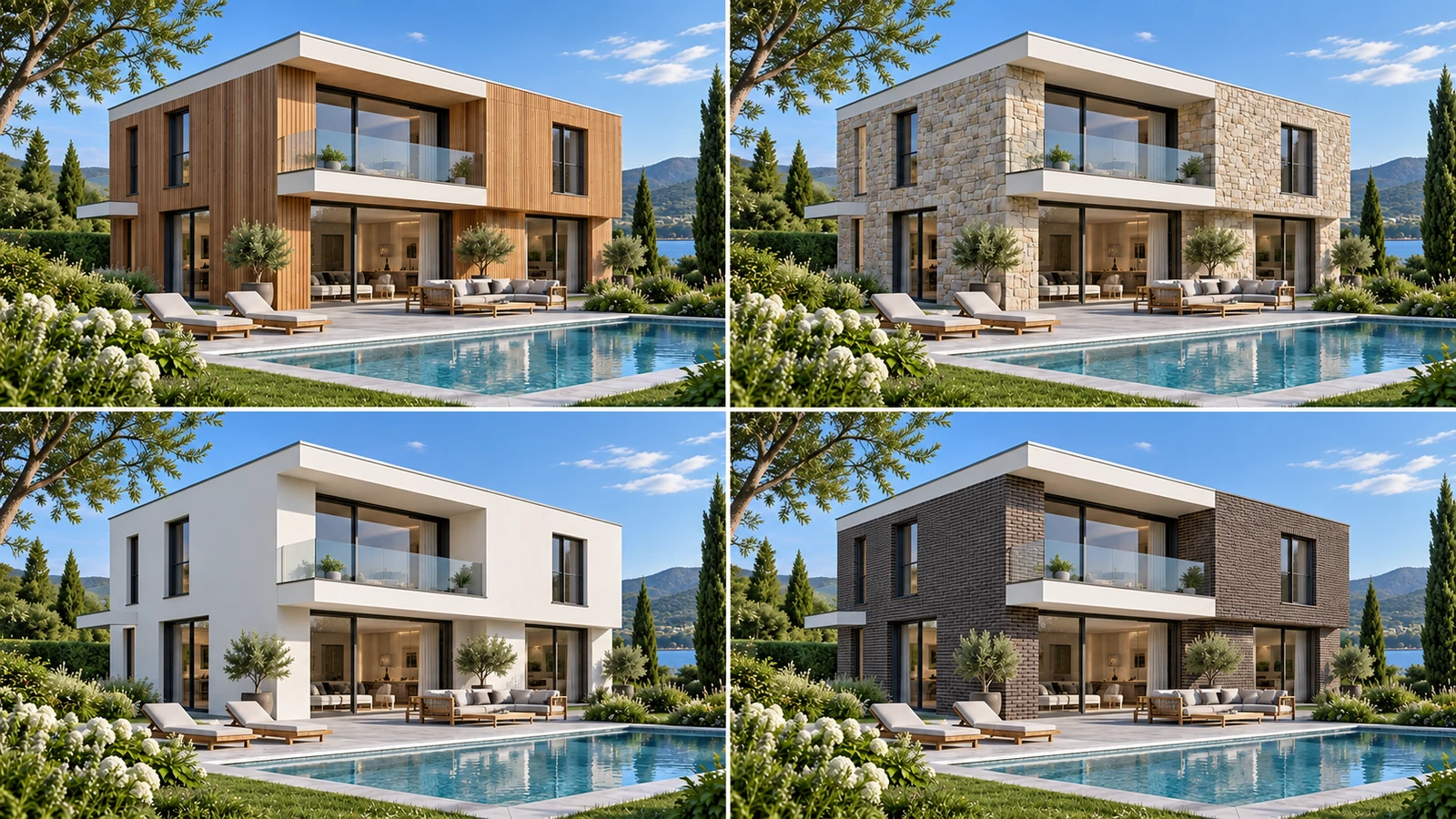
Fast Concept & Design Options
Feed a massing model or sketch and explore facades, materials, landscaping and moods before anyone invests in modeling. Studios report the largest time savings in this early phase, which is where speed matters most and exact detail matters least.
- Compare facade and material directions in one meeting
- Show clients atmosphere before the design is fixed
- Keep the chosen option as a brief for accurate 3D

Animating a Still Into a Mood Clip
Image-to-video models can add drifting clouds, moving light, water and a gentle camera push to a finished render. It is a fast way to make social clips, teasers and website headers. Where dimensions matter, the motion should come from real 3D geometry, not a prompt.
- Parallax, light changes and ambient life in seconds
- Starts from an approved still, so the design stays intact
- Label it as illustrative where it shows realistic imagery

Enhancing a Finished Render
Inside the render pipeline AI is already routine: upscaling, denoising, generating materials and making people and vegetation look more natural. A human still decides how far to push it, because over-enhancing can change proportions and details.
- More believable entourage without long manual work
- Higher-resolution output for print and large screens
- Quick material and texture options for review
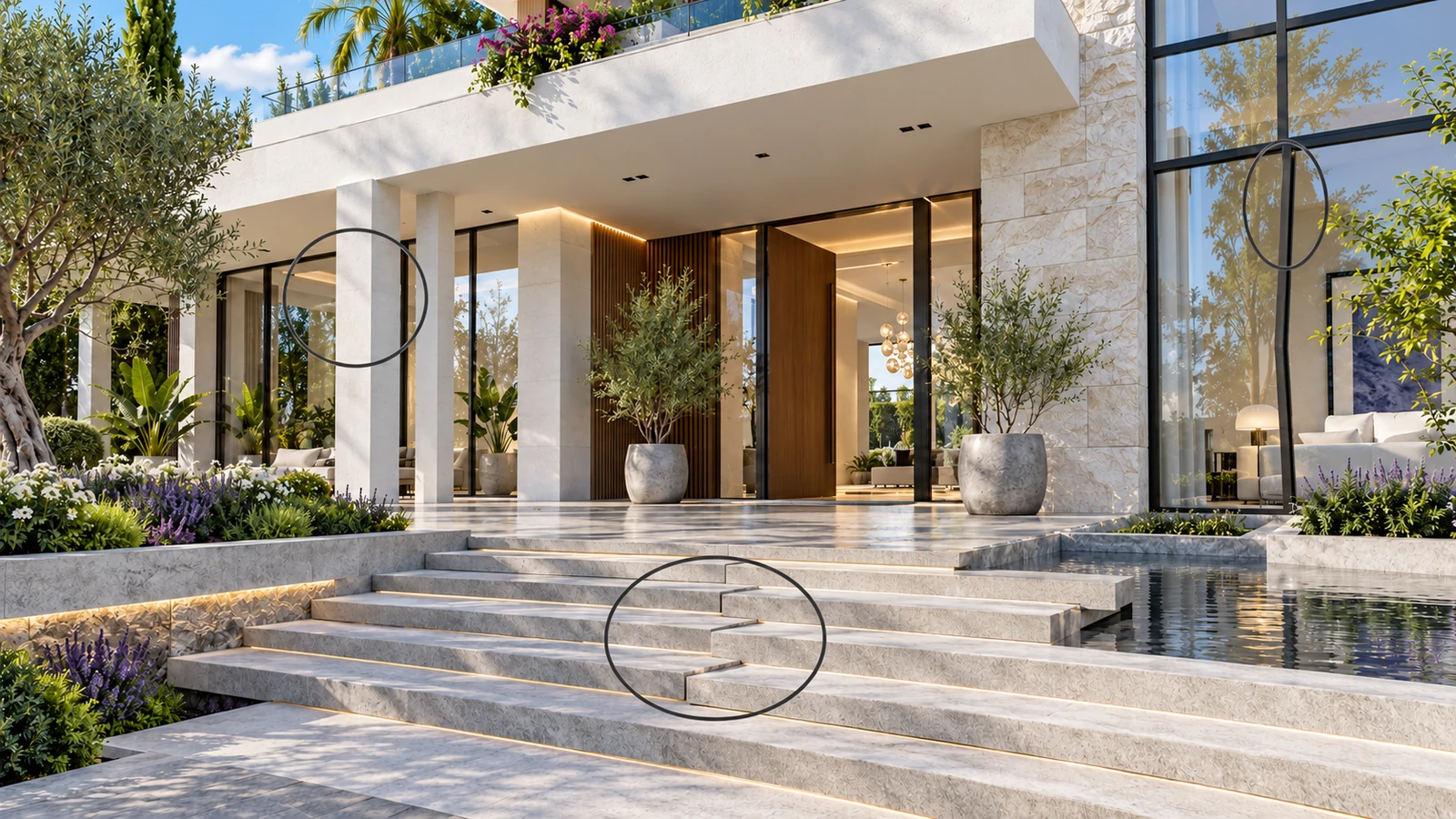
Eight Ways AI Still Lets Architects Down
Researchers and practitioners keep reaching the same conclusion: AI is a strong concept-phase tool but has not reached the accuracy of a controlled rendering pipeline. These are the failures we see most.
Geometry drift
Walls shift, windows change, columns appear or vanish and stair counts alter, especially when tools are not locked to your model.
Wrong materials and scale
AI interprets materials stylistically. It will not match a specified stone, glazing or timber, and proportions can stretch when settings are pushed.
No continuity between views
Each generation is a new interpretation. Matching the same building across exterior, interior and floor plan views is hard to guarantee.
Warped text and signage
Logos, signs and wayfinding are still weak points for image and video models, so they are usually added or fixed in post.
Animation drift
In AI video, objects can morph between frames and the camera does not follow a designed path. Clip length and resolution caps are common on many plans.
The "AI look"
Over-polished surfaces and generic styling can make a project feel synthetic and interchangeable unless a human refines it.
Not construction-grade
AI renders are communication images. They cannot replace dimensioned drawings, specification sheets or measured as-built records.
Unrealistic expectations
A beautiful but inaccurate image can set expectations a built project cannot meet, which becomes a client-relations and liability issue.
Why AI Gets Architecture Wrong
You do not need to be technical to understand the limits. Three simple ideas explain almost every AI mistake you will see in a render or an animation.
It paints pixels, not buildings
Most image models do not hold a 3D model of your building in memory. They predict plausible pixels one patch at a time, guided by your picture and words. So there is no object called "the left wall" that can stay still when the image changes.
It aims for plausible, not correct
The goal during training is an image that looks like real architecture photography. A wrong window spacing still looks like a real building, so nothing in the process corrects it. Only a person checking against drawings will catch it.
Video adds the dimension of time
Animation means every frame must agree with the one before it. Small differences compound, so doors slide, trees breathe and edges shimmer. Longer clips and camera moves make drift worse, which is why many tools cap clip length.
Eight Places Real 3D Rendering Beats AI
Words only go so far. These comparisons show the same project handled by an AI image tool and by a controlled 3D rendering pipeline. Illustrative visuals created to show typical differences.
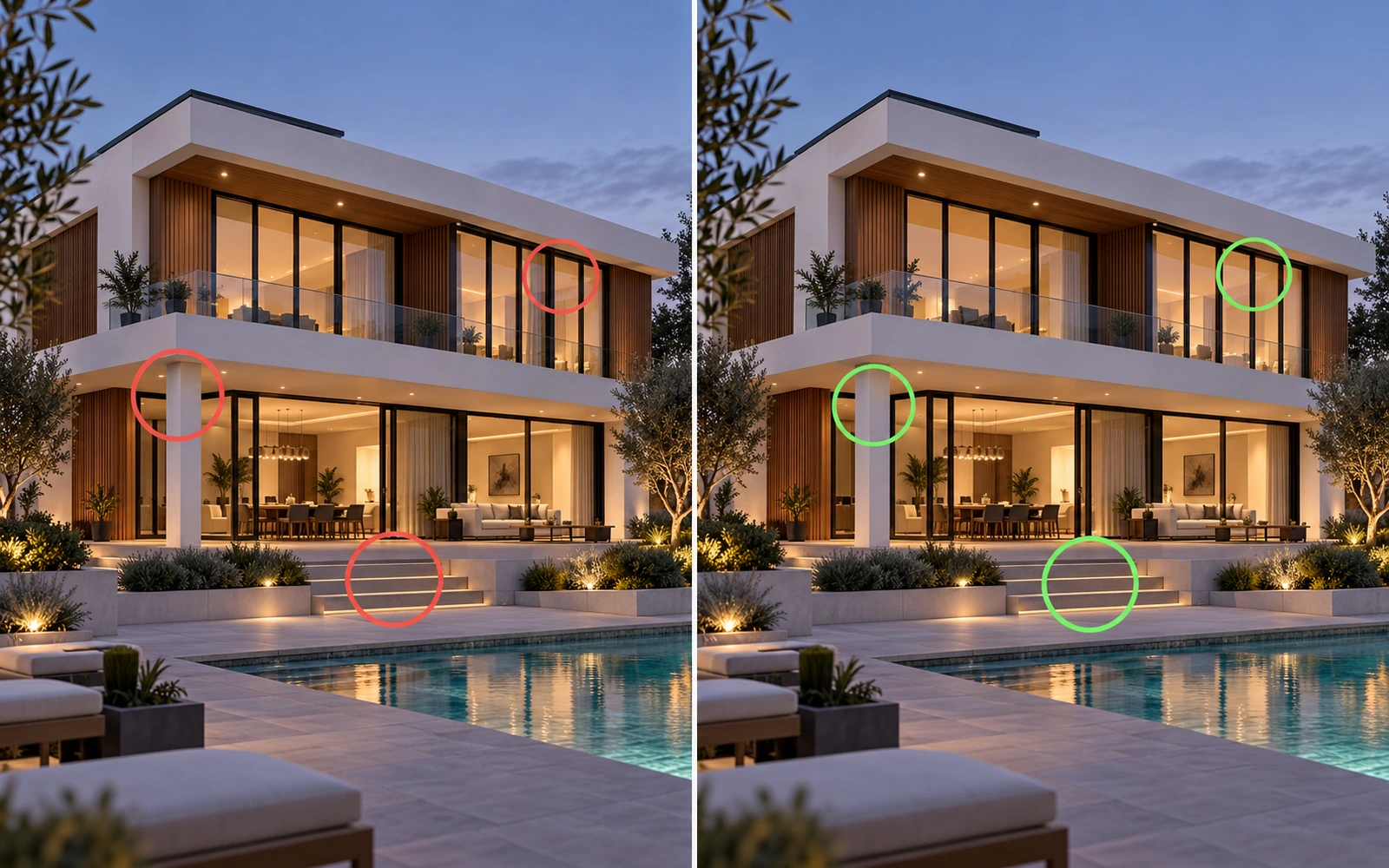
Real Rendering Matches the Drawing. AI Matches the Vibe.
A 3D render, like our exterior rendering work, is built from your plans, so every window, column and stair sits exactly where the architect drew it. AI repaints the picture, so details quietly move. In the AI version on the left, the window rhythm changed and a column appeared. Nothing looks wrong, which is exactly why it is dangerous. See an exterior 3D rendering project built to exact drawings.
- Dimensions come from the model, not from guesswork
- Every element can be traced back to a drawing
- Errors are fixed in the model once, not re-rolled by chance
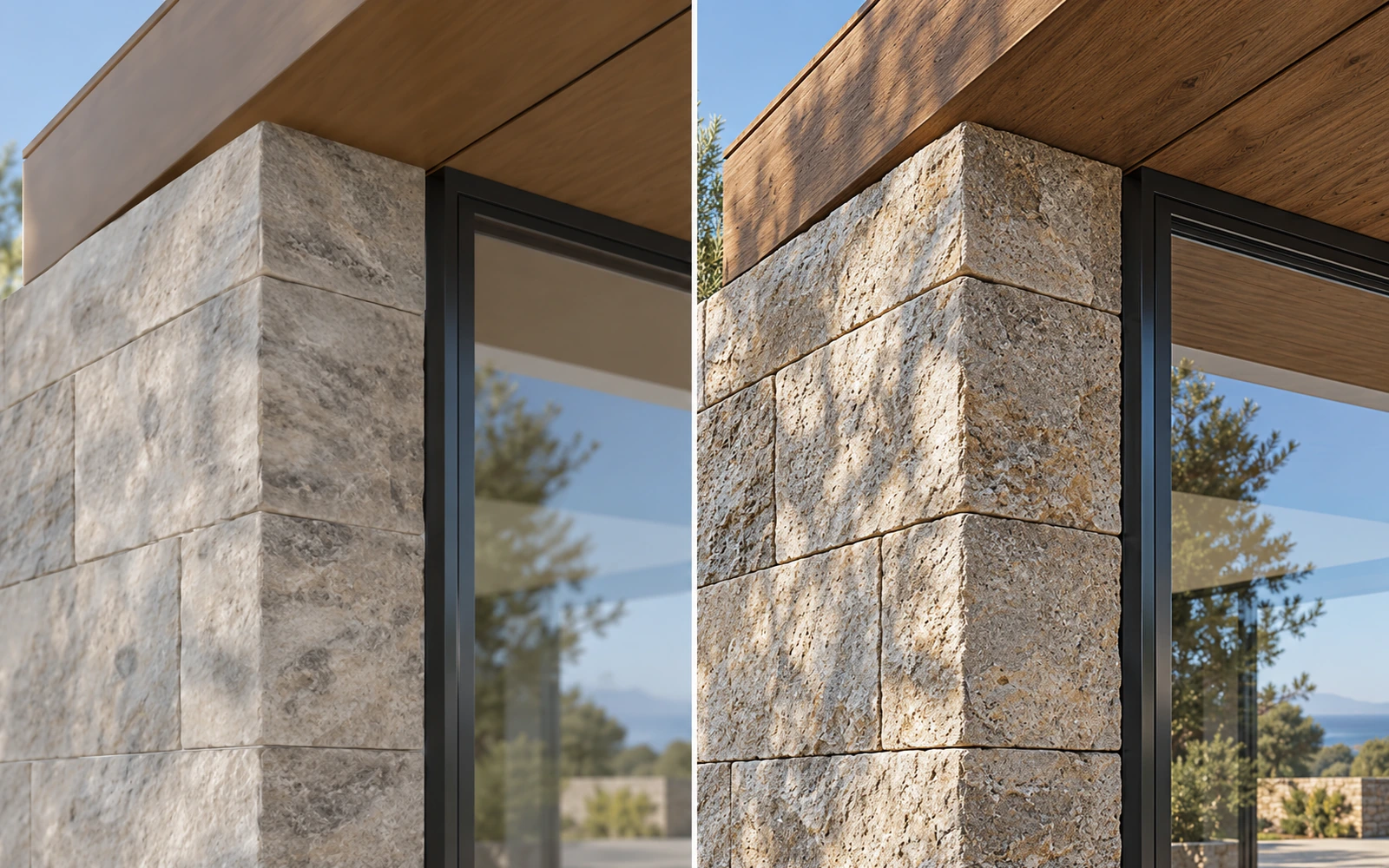
Real Materials Beat Painted Lookalikes
Renderers like V-Ray and Corona use real material data: stone joint widths, timber grain direction, how glass reflects the sky. AI paints something that looks like stone. Up close the AI texture repeats, blurs or changes between views, while the rendered surface holds its detail.
- Specified finishes appear as specified
- Texture scale is correct, so bricks stay brick-sized
- The same material looks the same in every view
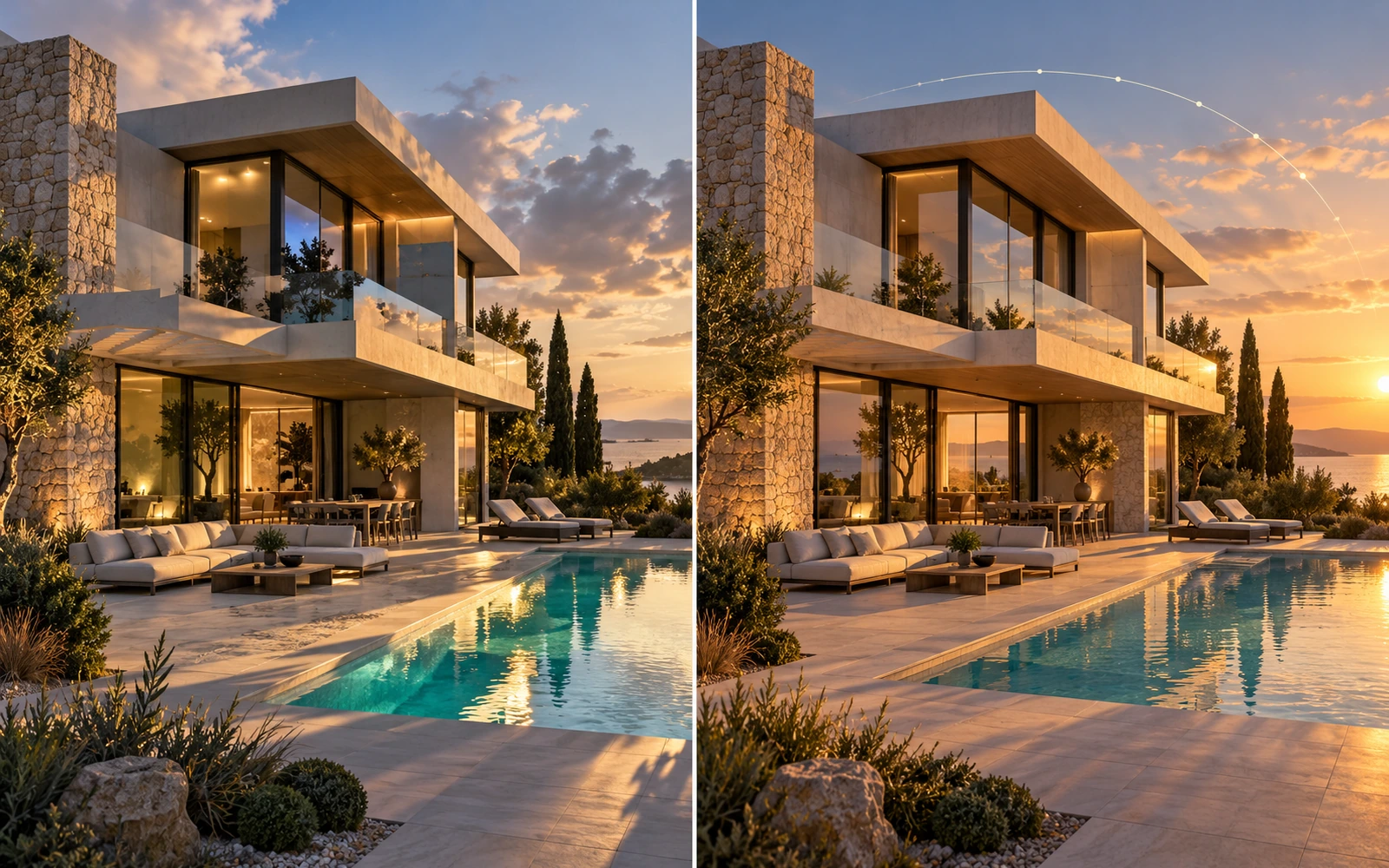
Physically Correct Light Versus Plausible Light
A 3D renderer simulates how sunlight really behaves at a given place, date and hour. Shadows fall in one direction and light bounces off surfaces the way it would on site. AI guesses what good lighting looks like, so shadows can disagree with each other and reflections can show things that are not there.
- True sun-path and time-of-day studies
- Shadow and reflection direction stays consistent
- Artificial and daylight mix correctly in interiors
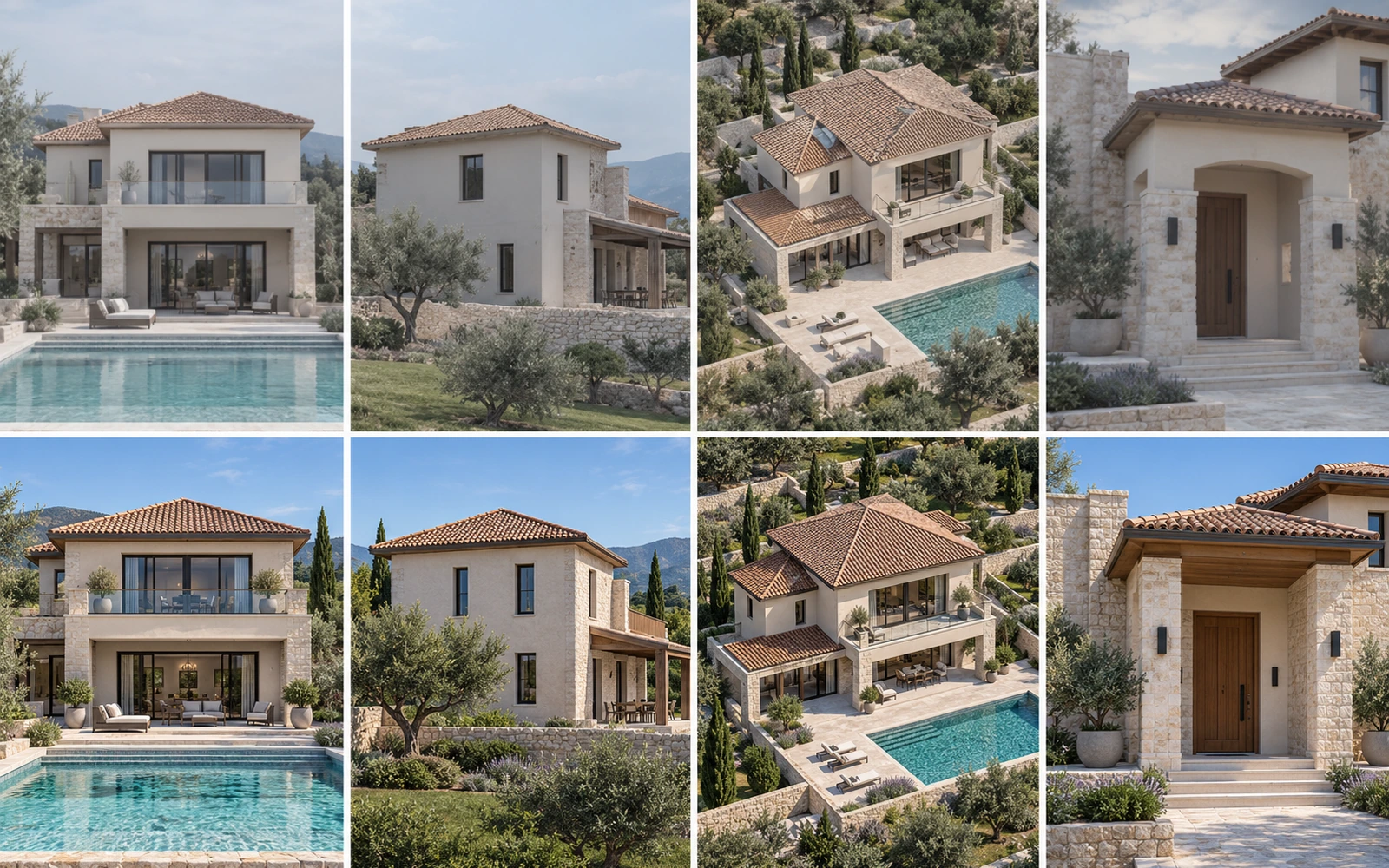
Four Views, One Building
A real project needs front, rear, aerial and interior views that all show the same design. In our 3D rendering services pipeline, every camera looks at one model, so the building cannot change. With AI each view is a fresh interpretation, and the roof, windows or colours drift from one image to the next. Our aerial view rendering work shows one model held consistent across every angle.
- One model feeds every view
- Brochures and websites look like one coherent project
- Late design changes update all views at once
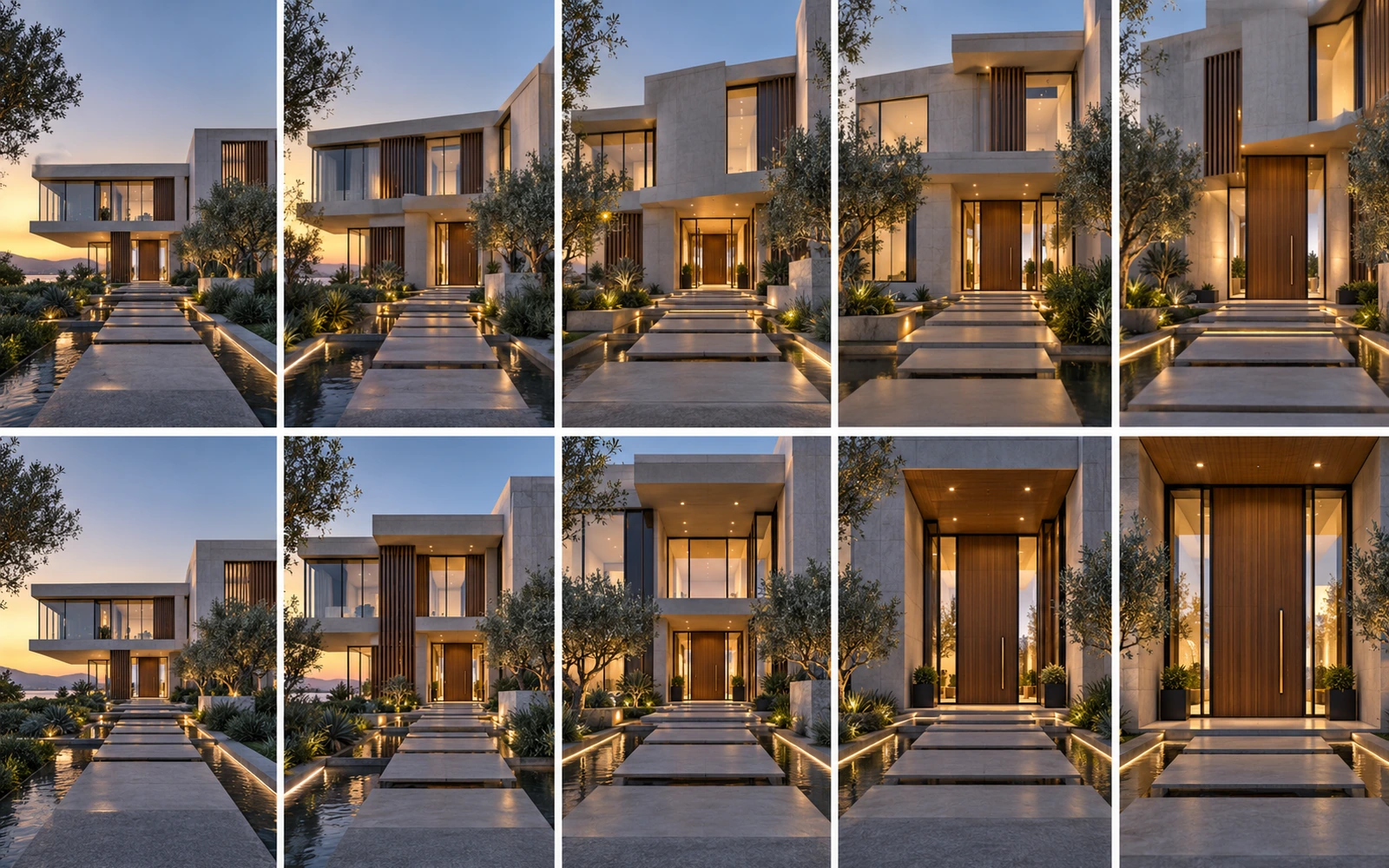
A Walkthrough Is Built. An AI Clip Is Guessed.
Frames from a 3D architectural walkthrough follow a designed camera path through real geometry, so rooms, doors and sight-lines never change. In an AI clip each frame is predicted from the last, so windows slide, edges shimmer and the building can quietly change shape over a few seconds. Here is a real architectural animation project we delivered.
- The designed camera path is repeatable
- Length and resolution are not capped by a generator
- Safe to use for client approvals and sales
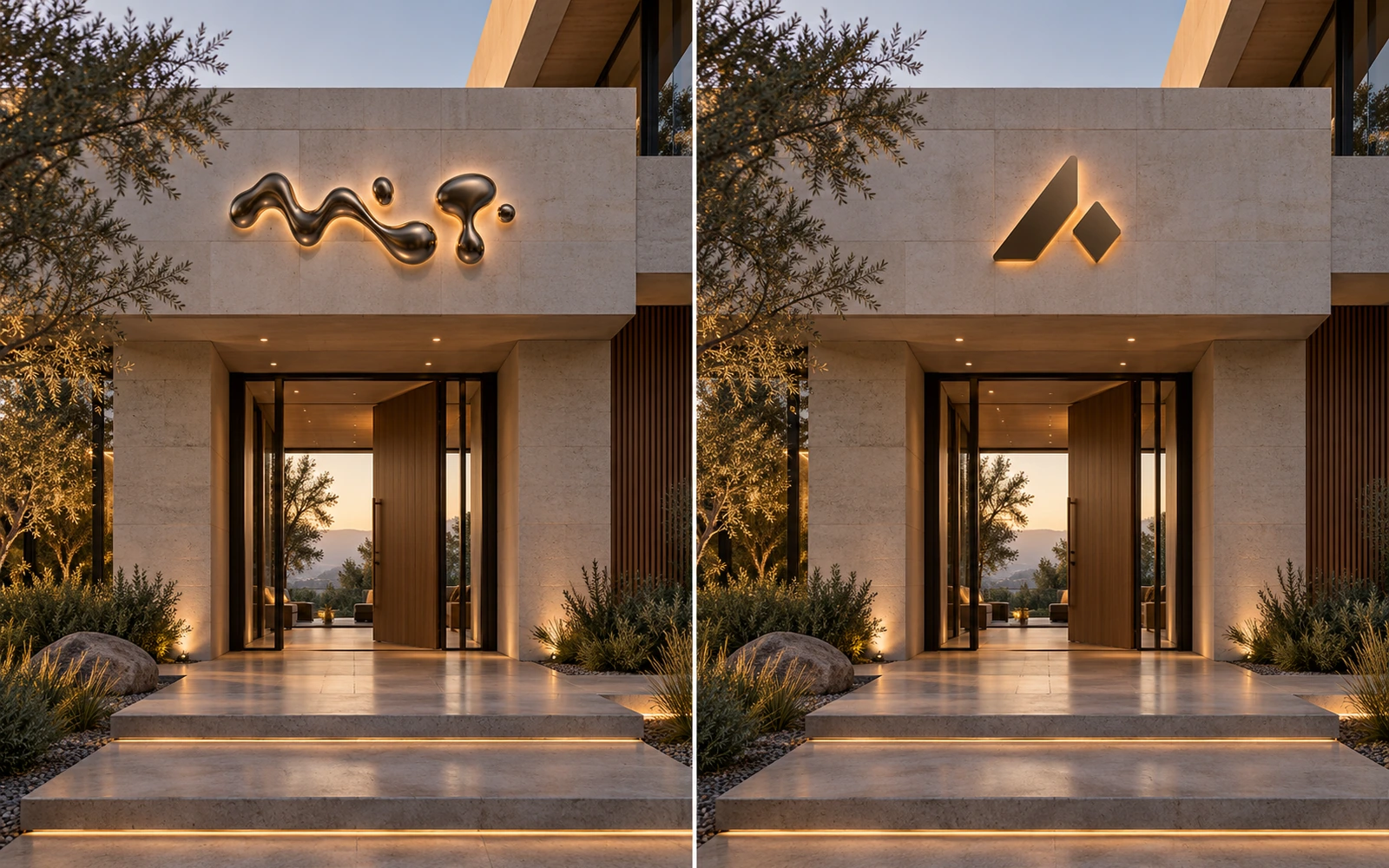
Logos and Signage That Are Actually Right
Brand names, wayfinding and unit numbers have to be spelled and placed correctly. AI image tools still warp letters and invent characters. In a 3D pipeline the logo is real artwork applied to the building, so it stays sharp and correct in every view.
- Brand artwork is used exactly as supplied
- Text stays readable at any zoom
- No misspellings reach a client or the public

Your Furniture, Not Look-Alike Furniture
3D interior rendering projects are sold on specific products. A 3D scene uses the actual sofa, lamp and tile you specified, at the right scale. AI offers something similar in spirit, so the chair a client approved may not be the chair in the picture. Browse an interior 3D visualization project built with the exact furniture specified.
- Specified products and finishes appear exactly
- Room proportions and furniture scale are correct
- Swap a finish or product and re-render with the rest unchanged

Change One Thing Without Changing Everything
When a client says move the window, a 3D artist moves the window and re-renders; everything else stays identical. With AI, asking for a change regenerates the image, so the lighting, landscape or facade may change too. Approved details cannot be locked.
- Targeted edits that leave the rest untouched
- Approved elements stay approved
- Predictable rounds of revisions and costs
How Much Accuracy Does the Job Need?
Feeling, AI can carry. When dimensions are on the line, drive the visual from real geometry and treat AI as a finishing layer.
Let AI lead
- Mood and concept reels
- Competition and pitch teasers
- Early design options
- Social and website atmosphere clips
Rule: label it as illustrative.
Go hybrid
- Marketing stills for planned buildings
- Animated stills from approved renders
- Interior style and material options
- Brochure and listing visuals
Rule: accurate 3D base, AI polish, human check.
Keep it human-led
- Client sign-off walkthroughs
- Planning and approval visuals
- Off-plan sales with fixed finishes
- As-built or measured tours
Rule: real 3D geometry or capture the real space.

What Still Needs a Human Visualizer
Practitioners describe AI as a supporting tool, not a co-creator. Ideas, direction and responsibility still come from people. Here is the work that stays with the human team.
Reading the design
Understanding plans, sections, specifications and the architect's intent, then building a model that matches them exactly.
Composition and light
Choosing camera angles, time of day, sun direction and mood that sell the architecture honestly.
Storytelling and pacing
Designing walkthrough routes, timing, transitions and sound so a viewer understands the space.
Quality control and accountability
Checking every frame, fixing errors, and standing behind what is delivered, including what must be labelled as AI.
AI can give you ten options by lunchtime. A visualizer makes sure the one you pick can actually be built, lit and sold.Yantram Studio production perspective
The AI Tools Architects and Visualizers Use
Tools compete for a stage of the workflow, not for the whole job. This is a snapshot as of October 2026.
| Tool | Stage | Strength | Watch out for |
|---|---|---|---|
| Veras (Chaos) | Design and schematic | Works inside Revit, SketchUp, Rhino, Vectorworks and Archicad and respects model geometry | Can still alter details; needs review |
| Chaos AI Enhancer (Enscape) | Final polish | Improves people and vegetation in real-time renders | Focused on entourage, not whole-scene changes |
| D5 Render | Design development | Real-time rendering with AI textures, enhancer, style and atmosphere matching | AI suggestions need human art direction |
| Midjourney and Krea | Concept and ideation | Striking mood images, fast variations, upscaling | Limited control over exact geometry |
| Adobe Firefly | Post-production | Retouching and extending finished images | Edits can drift from the specified design |
| Kling, Veo, Runway | Mood animation | Image-to-video for atmosphere and social clips | Not reliable for measured walkthroughs; text and shape drift |
| V-Ray, Corona | Final accurate render | Physically based, controllable still and animation output | Slower and needs skilled operators |
The AI video market changes fast: models are released, renamed and withdrawn within months. Verify current features, pricing, licensing and output limits before you commit to a tool.
How to Brief AI So the Result Is Usable
The quality of an AI image depends on the brief and on how tightly you control the structure. These examples show the difference, and they work in most current tools.
Facade concept BRIEF
Why it works: Name materials, time of day and camera height, and tell the tool what must not change.
Interior mood BRIEF
Why it works: Describe light direction and lens, not just a style word.
Material options BRIEF
Why it works: Ask for one change at a time so you can compare options fairly.
Image to video BRIEF
Why it works: Describe the motion you want and list what must stay still.
Lock the structure
Feed a clean model view or sketch as the reference and keep the creativity or strength setting low, so walls and windows stay where they are.
Change one thing per round
Facade, then lighting, then landscape. Changing everything at once makes it impossible to tell which instruction caused a problem.
Fix text and logos outside AI
Generate the scene without signage, then add logos and wayfinding in post so they are spelled and placed correctly.
Keep a version log
Save the reference, settings and prompt for each approved image so you can reproduce it, answer client questions and show where AI was used.
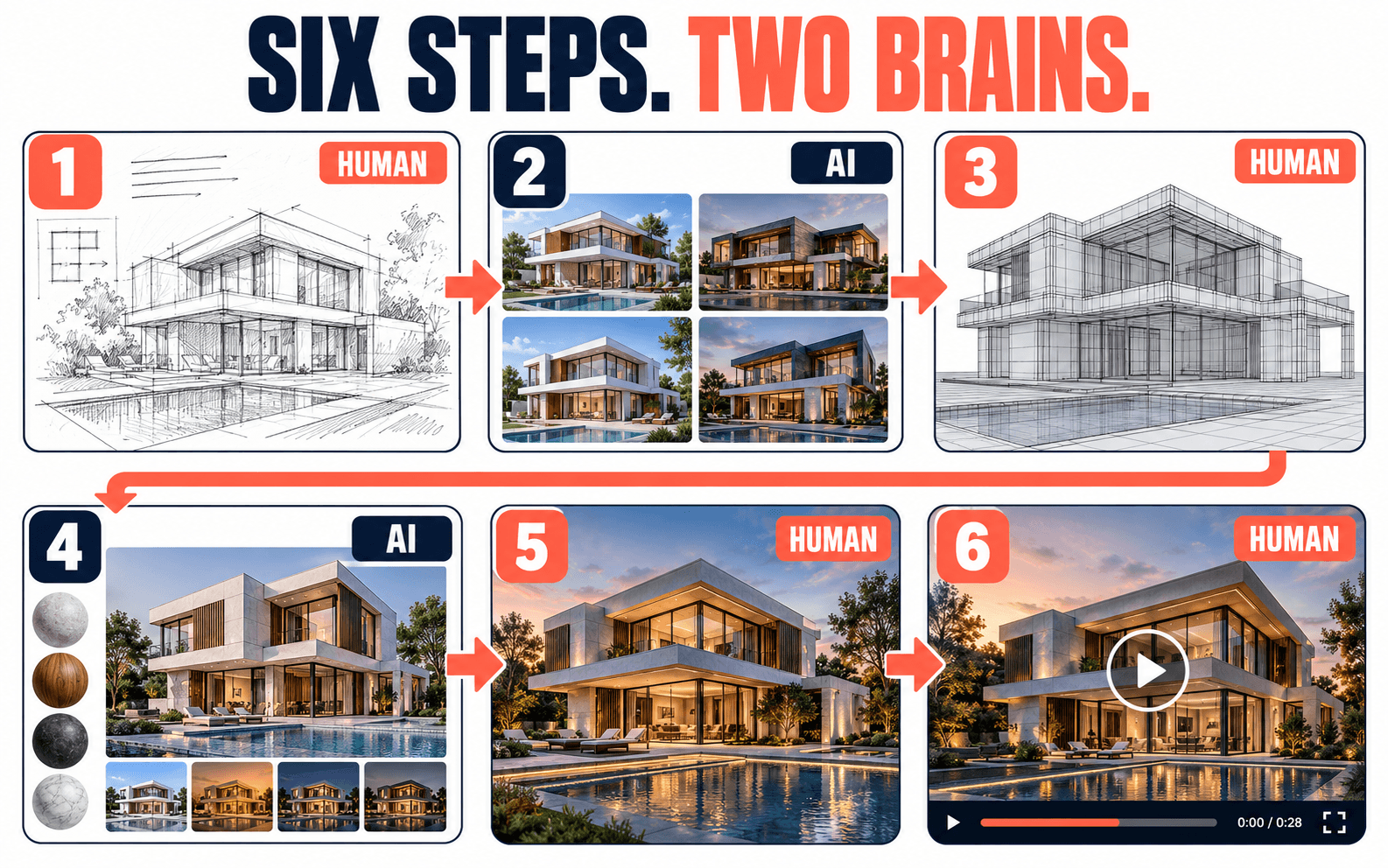
A Hybrid Workflow That Works
Most firms find the best results use AI for early concepts and a traditional renderer such as V-Ray or Corona for final marketing images and animation. This is the six-step flow we recommend.
1. Brief and design rules
Collect plans, CAD, sketches and references. Decide what must be exact and what can be atmospheric.
2. Explore options
Generate concept directions for facade, materials, landscape and mood. Pick one with the client.
3. Build accurate 3D
Model the chosen design from real drawings so geometry, scale and materials are correct.
4. Light, render, enhance
Render in a physically based engine, then use AI selectively for entourage, upscaling and polish.
5. Animate
Design the camera path in 3D for sign-off films. Use AI motion only for teasers and atmosphere.
6. Check, label, deliver
Review every frame against the design, apply AI labels where required and deliver final files.
One Villa Launch, Three Ways
The clearest way to see the trade-offs is to give the same job to each approach. Here is how a villa launch plays out. See similar work in our real estate rendering projects.
Same brief for all three: a boutique villa launch needing six hero images and a short film. Ratings are the Yantram Studio production team's own assessment, shown as relative guidance, not benchmarks.
AI-only
Fast and loose- Speed●●●●●
- Accuracy●●
●●● - Control●●
●●● - Consistency across views●
●●●● - Easy revisions●●●
●●
- One style board and a handful of mood images
- A labelled 8 second teaser from one still
Best for: pitches and internal reviews.
Watch out: each image is a fresh interpretation, so the villas may not match each other or the drawings.
Hybrid
Accurate base, AI polish- Speed●●●●
● - Accuracy●●●●
● - Control●●●●
● - Consistency across views●●●●
● - Easy revisions●●●●
●
- Six hero stills built from one 3D model, with AI for options and finishing
- A teaser animated from approved views, with human retouching
Best for: sales launches and brochures.
Watch out: needs a clear plan for which steps use AI, and a record of where it was applied.
Full 3D, human-led
Maximum control- Speed●●
●●● - Accuracy●●●●●
- Control●●●●●
- Consistency across views●●●●●
- Easy revisions●●●
●●
- Six stills and a 30 second walkthrough from one verified model
- Every view, material and camera move traceable to the drawings
Best for: sign-off, planning and large developments.
Watch out: takes longer up front, so budget time for modeling and review.
Do You Have to Label AI-Made Visuals?
Increasingly, yes, in certain cases. 2026 brought new disclosure duties and platform labels. Rules differ by country and platform and keep changing, so treat this as a starting checklist, not legal advice.
EU AI Act, Article 50
Transparency duties cover machine-readable marking of synthetic content and clear labelling of deepfakes. It applies if your content reaches people in the EU, wherever you are based.
Automatic AI labels
YouTube announced it can apply AI labels itself, using C2PA Content Credentials, and moved the label to a more prominent position.
AI label setting
Google added a way to label AI-generated or modified image and video ad creative across its campaign tools.
Mandatory ad disclosure
TikTok requires disclosure on realistic AI-generated images and video in paid ads and uses C2PA data to detect AI material.
Practical habit: keep a simple record of which assets used AI, which tool and version, and what a human changed. Provenance data such as C2PA Content Credentials is becoming the standard way platforms detect and label AI media.
Find Your Best Approach in 30 Seconds
Answer three quick questions to see which approach suits your project, then run the checklist before any AI image goes in front of a client.
What should you use?
Pick one answer for each question.Answer all three questions above.
Before you show an AI image to a client
Tick each item as you check it.AI-Only, Hybrid or Full 3D: Which Should You Pick?
AI-only
Fast and cheap for ideas, risky for anything binding.
- Concept boards and pitches
- Internal design reviews
- Social teasers, labelled
Hybrid
Accurate 3D base with AI for options, polish and motion.
- Marketing stills and brochures
- Off-plan sales visuals
- Hotel, villa and apartment launches
Full 3D, human-led
Maximum accuracy and control, with selective AI at the edges.
- Sign-off walkthroughs
- Planning and approval packs
- Large multi-view developments
Twelve Terms You Will Hear in AI Rendering
Skip the jargon. Tap a term for a one-line explanation you can repeat in a meeting.
Generative AI
Text-to-image
Image-to-video
Diffusion model
Structure or depth control
Hallucination
Temporal consistency
Upscaling
Entourage
Physically based rendering (PBR)
BIM
Content Credentials (C2PA)
AI Architectural Rendering & Animation: Your Questions
Can AI replace architectural visualizers?
What does AI do well in architectural rendering?
What does AI still get wrong?
Is AI animation accurate enough for client sign-off?
What is the best workflow: AI-only, traditional or hybrid?
Do I have to label AI-generated renders and animations?
Which AI tools do architects use in 2026?
Does AI make architectural rendering cheaper?
Can Yantram combine AI with 3D rendering and walkthroughs?
How do I start a hybrid AI and 3D project?
Want AI Speed With Human Accuracy?
Send your plans and brief. We will tell you honestly which parts of your project suit AI, which need full 3D, and give you a quote with a first-draft date.

Research Sources
- Visualizee: What Is Architectural Visualization? A Complete 2026 Guide (Chaos & Architizer AI adoption figures)
- Luma: Best AI Rendering Tools for Architects in 2026 (concept-image and client-change figures)
- LearnArchitecture: 10 Best AI Tools for Architectural Visualization in 2026 (hybrid workflow, tool roles)
- LearnArchitecture: AI Rendering for Architecture, Beginners Guide 2026 (concept-phase limits)
- Enscape: AI Architectural Visualization Workflow with Veras
- Chaos: The Role of AI in Architectural Visualization
- Super Renders Farm: 3D Architectural Rendering & AI Visualization, 2026 Workflow Guide
- Studio Matrx: Emerging AI Video & Walkthroughs (accuracy-need framework)
- Pajkovski & Nedelkovski (2025): Integrating AI in Virtual Engineering for Architectural Visualization
- Cinerads: AI Ad Disclosure Requirements in 2026 (EU AI Act Article 50 and platform rules)
- C2PA Viewer: YouTube Auto-Labels AI Videos Using C2PA Metadata
- C2PA Viewer: Google Ads AI Labels
- Common Thread Collective: TikTok AI Ad Disclosure Rules
Published 29 October 2026. The AI tool and regulatory landscape changes quickly; verify current details before relying on them. Nothing on this page is legal advice.